What’s new in Avelon 7.37
Casey
Avelon Casey is a high-end, ready-to-use platform for building automation, alarm systems, and energy management without compromising on performance. The compact on-premises server comes fully configured, is scalable, and can even be extended to the cloud. Casey uses all open interfaces to integrate various systems and installations into a single ecosystem. The autonomous Casey is available in four sizes – ideal for small and medium-sized projects.

Schematic and shape improvements
-
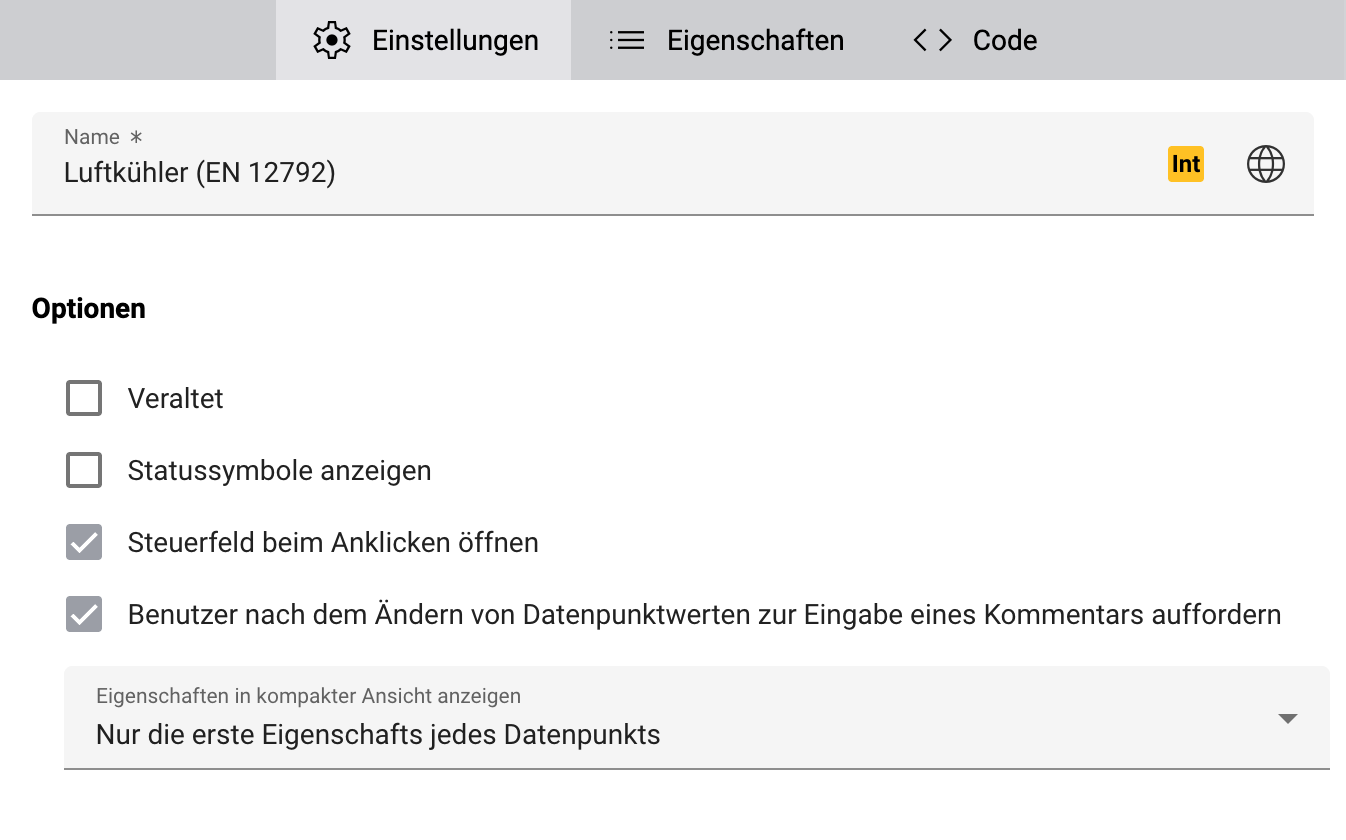
- Shapes can now be configured so that users won‘t be prompted to enter a comment when they set a data point value on the faceplate, which can be useful for room control shapes.
- It’s now possible to show all used data point properties of a shape on the compact faceplate. Until now, this was limited to the extended view of the faceplate.
-
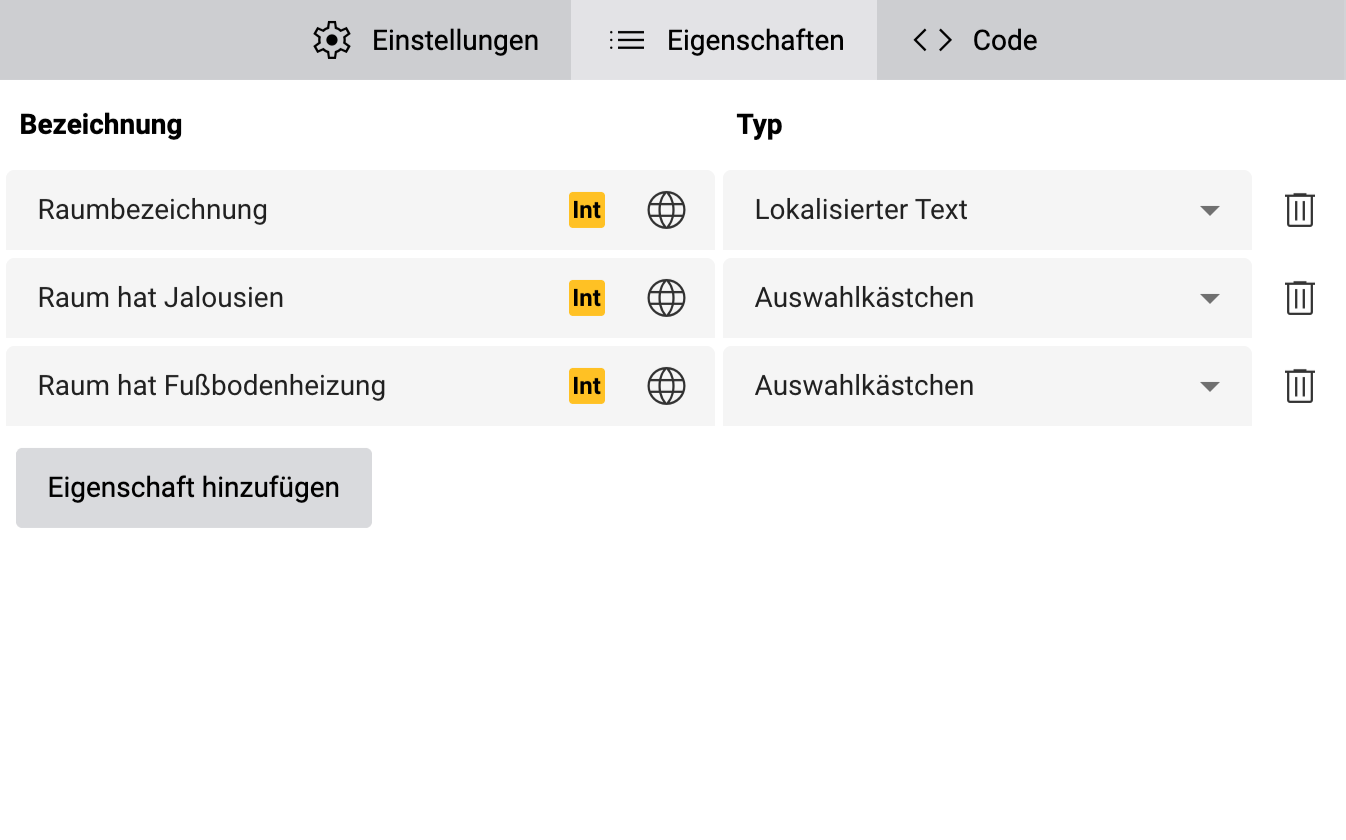
- We added support for boolean shape properties, which allow you to implement custom flags on your shapes that can be easily toggled on or off.
- We also added support for a new localizable string property, which allows you to provide a dynamic text to shapes that automatically adapts to the user’s language.
Schematic statistics report
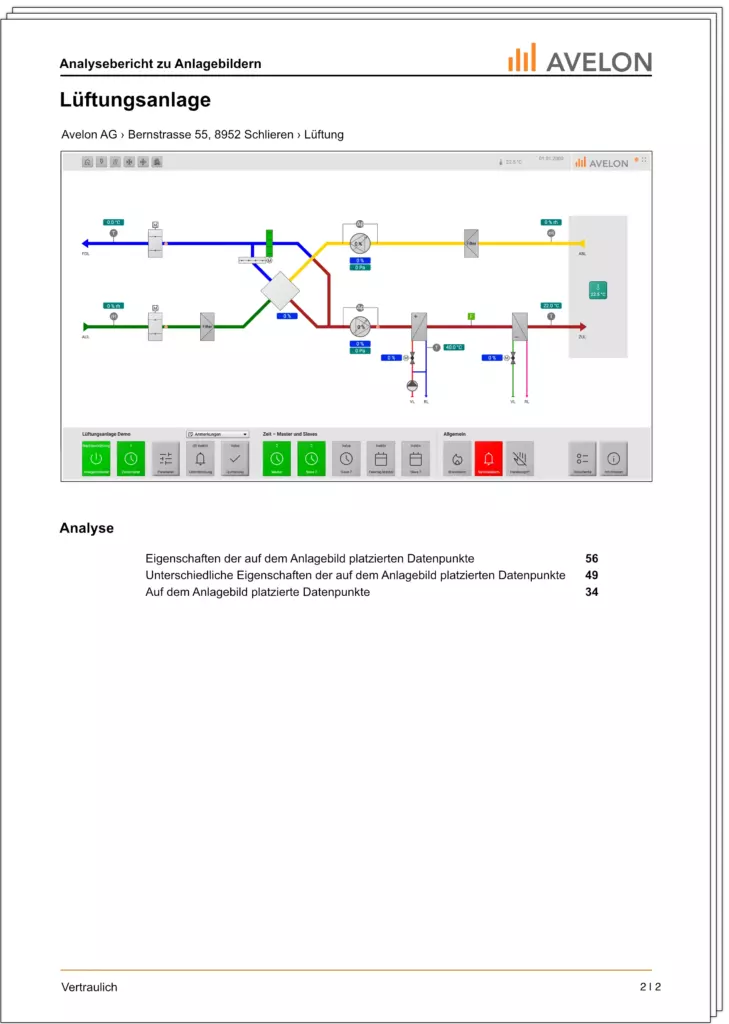
You can now download an overview of all your schematics that includes a number of statistics regarding the placed data points and properties. It lets you review and assess the engineering effort that went into your project. The generated report includes a list of all selected schematics with a small preview of each schematic and the following statistics:
- Statistics over all schematics:
- Number of unique data points placed on all schematics. Each data point is only counted once, regardless of how many times it was placed.
- Number of unique properties of data points placed on all schematics. Each property is only counted once, regardless of how many times it was placed.
- Statistics for each individual schematic:
- Number of data points placed on each schematic, including duplicate placements.
- Number of properties of data points placed on a schematic, which also counts properties that are used in multiple shapes.
- Number of unique properties of data points placed on all schematics. Each property is only counted once, regardless of how many times it was placed.
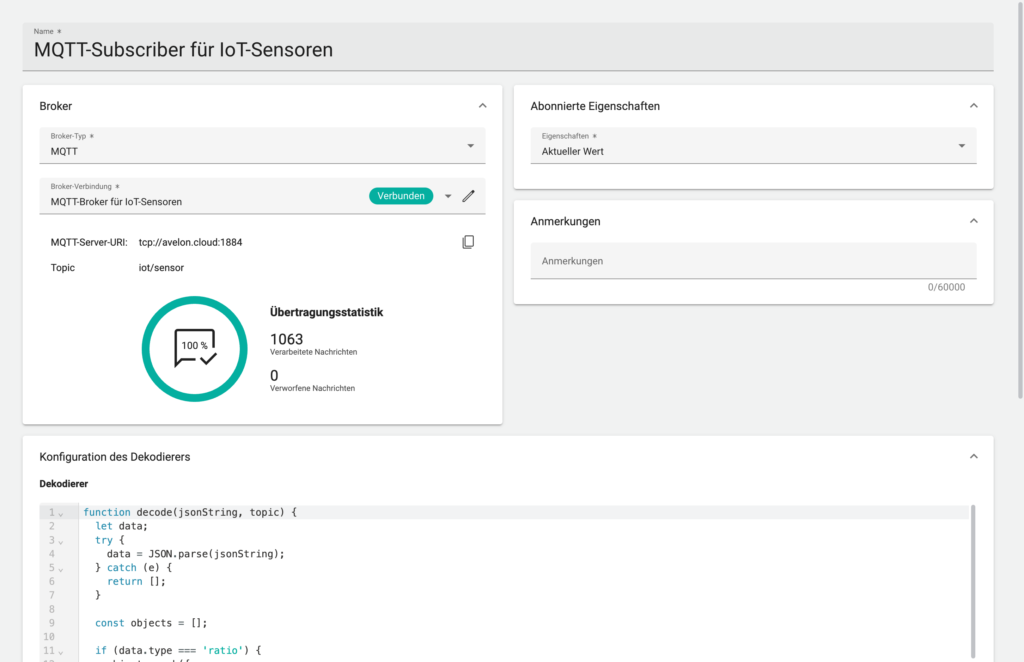
Subscribe or publish data via MQTT
Receive a notification before TLS certificates expire
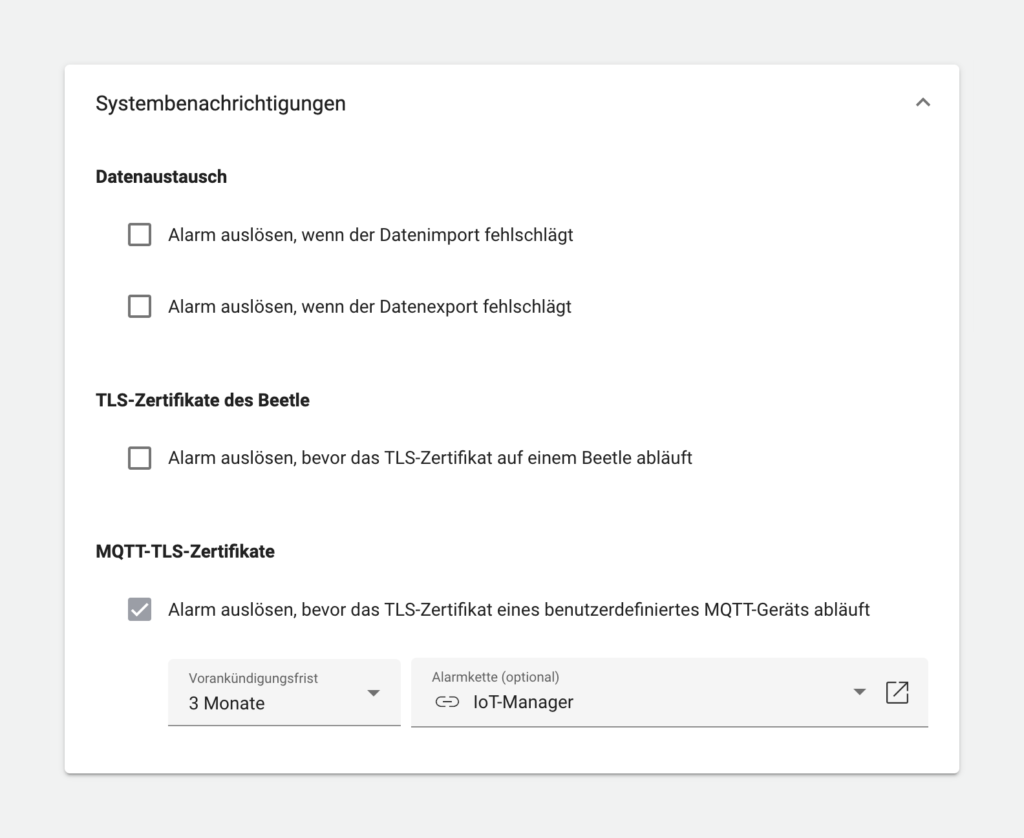
Third-party alarm services
- Ascom from Ascom Holding AG
- FACT24 from F24 AG
- novaalert from novalink GmbH
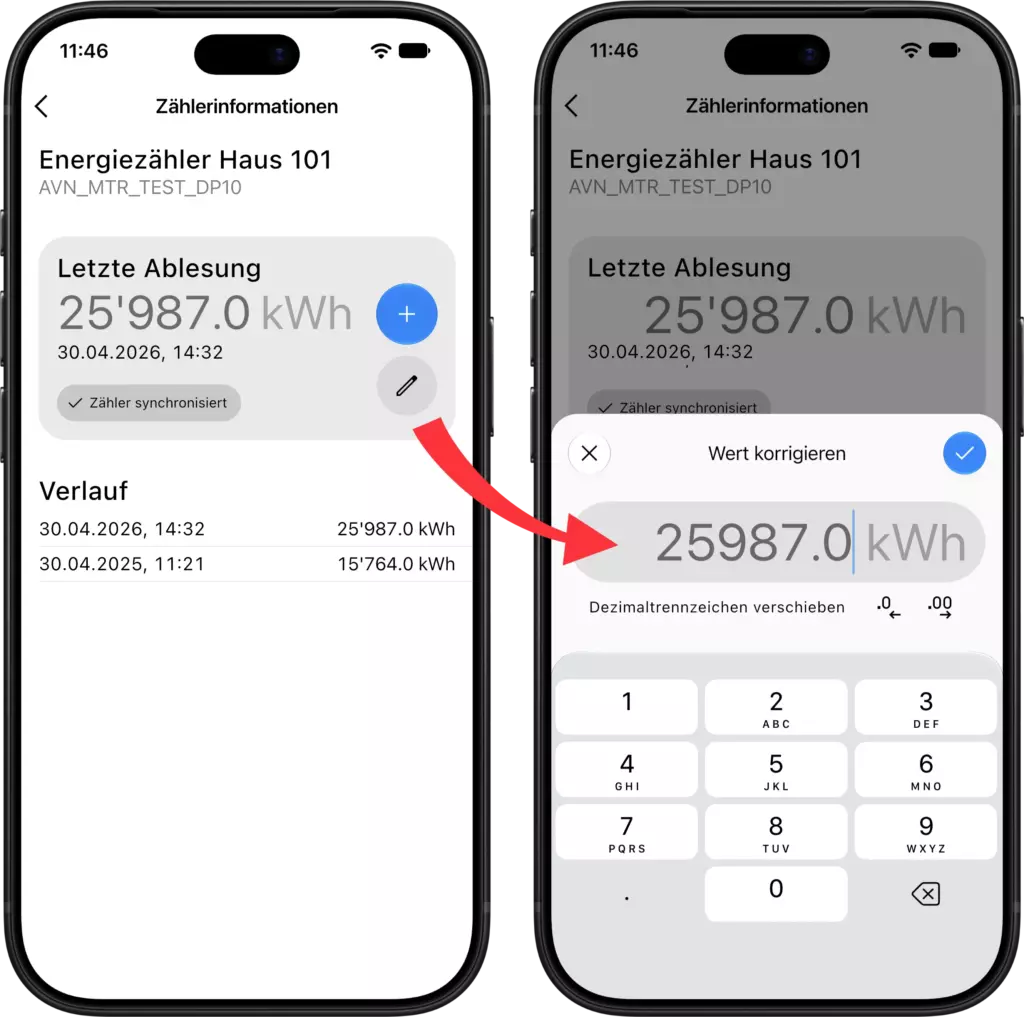
Avelon Meters
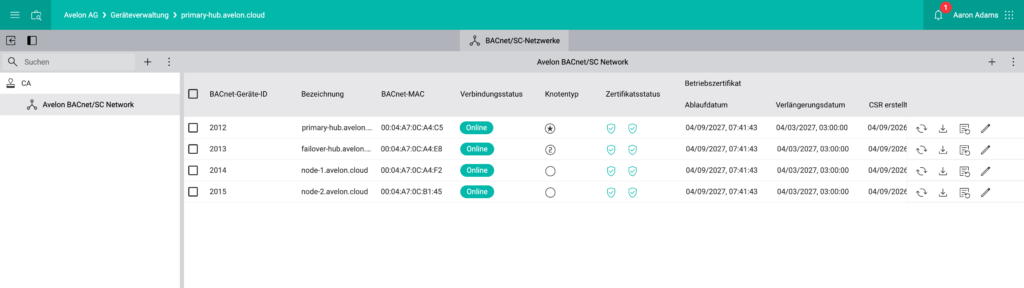
BACnet/SC
Beetles now support BACnet/SC (Secure Connection) communication. While traditional BACnet/IP transmits data unencrypted, BACnet/SC encrypts all control communications, authenticates devices, and simplifies integration into corporate IT networks.
Our BACnet/SC network management also supports automatic and manual renewal of TLS certificates (issuer and operating certificates), and you can manage and configure the primary and secondary hubs of each individual network. Beetles can act as hubs or regular nodes.
BACnet device monitoring

The system will notify you when one of the BACnet devices has restarted. In addition, the system also monitors device restarts without notification. If a device goes offline unexpectedly, the BACnet device monitor will trigger an alarm as well.
BACnet alarm synchronization
When a device comes back online (see “BACnet device monitoring”), or the BACnet service is restarted, the system reads out the alarm summary and synchronizes it with the current ticket status.
Bug fixes and improvements
- Added support for new BACnet engineering units.
- Added more variable to alarm texts: {realEstate}, {building}, {value} and {customer}.
- The MTU size for the individual network interfaces can now be configured directly from the Beetle user interface.
- The configurations of all your IoT devices can now be exported in a single file.